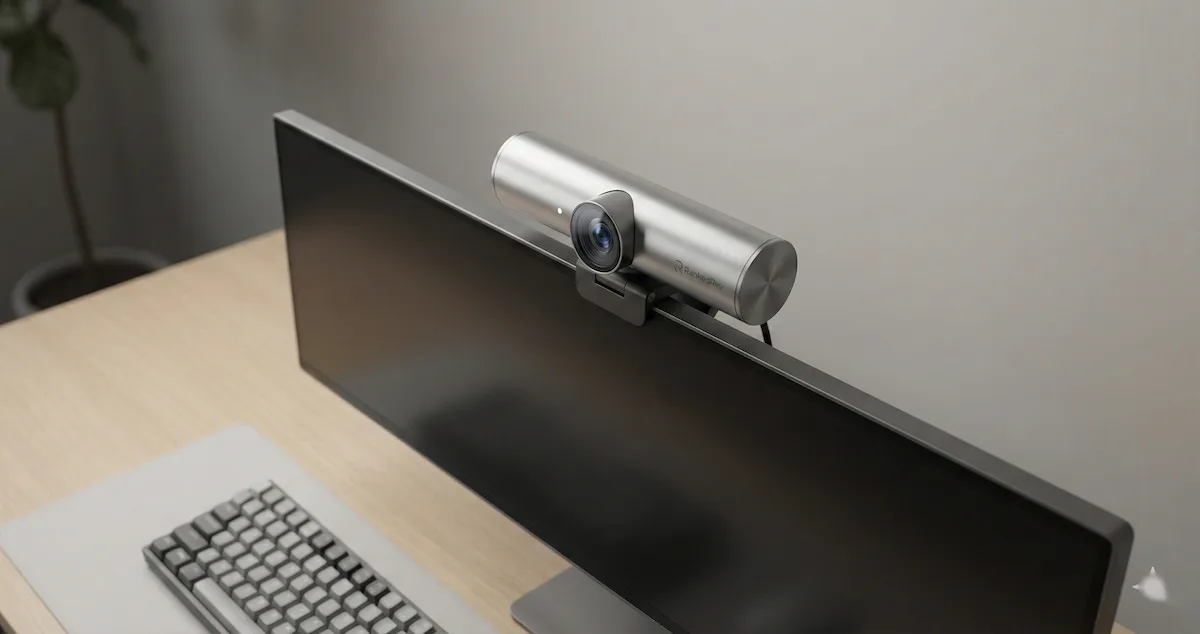
Best Webcams in 2026
From budget 1080p to premium 4K, we tested the top webcams for video quality, low-light performance, and microphone clarity.

Your Laptop Webcam Is Embarrassing You
Here is a reality check: every person you video-call can tell you are using your laptop's built-in webcam. The washed-out colors, the grainy image in anything less than perfect lighting, the unflattering upward angle from a screen-mounted camera, it all adds up to a video presence that undermines your professionalism before you say a word.
The gap between a built-in laptop webcam and a dedicated external webcam in 2026 is enormous. The best external webcams now shoot in 4K with sensors that rival entry-level mirrorless cameras. They use AI to track your face, adjust framing automatically, and blur backgrounds without the processing artifacts that software-based solutions produce. Low-light performance has improved so dramatically that you can take a call in a dimly lit room and still look sharp.
I have been testing webcams across the full range of use cases: daily video meetings on Zoom and Teams, content creation and streaming, low-light home office conditions, and the increasingly common scenario of taking calls from hotel rooms and coffee shops while traveling. The differences between cameras are immediately visible on the other end of the call. For the complete ranked list with detailed scoring, visit our best webcams category page.
What to Look For in a Webcam
These are the specs that actually matter when the camera is pointed at your face. They align with our scoring methodology.
Resolution: 4K vs 1080p. 4K (2160p) webcams capture four times the pixel data of 1080p cameras, which translates to noticeably sharper image quality, even when your video call compresses the feed to 1080p or 720p. The reason: a 4K sensor gives the camera more data to work with for digital zoom, AI cropping, and noise reduction. A 4K webcam running at 1080p output looks better than a native 1080p webcam because it is downsampling from a richer source. For streaming and recording where you control the output quality, 4K is even more valuable.
Sensor size. This is the spec most people overlook, and it matters more than resolution. A larger sensor captures more light, which directly translates to better low-light performance, more natural depth of field, and richer color reproduction. The OBSBOT Tiny 3's 1/1.5-inch sensor and Insta360 Link 2 Pro's 1/1.3-inch sensor are dramatically larger than the sensors in most webcams, and the image quality difference is visible immediately.
Autofocus and AI tracking. Modern webcams use AI to do far more than focus. The best models track your face as you move, automatically reframe the shot when you lean or shift, and even follow you as you stand and walk around. PTZ (pan-tilt-zoom) webcams add motorized movement, physically rotating the camera to keep you centered. For presenters, teachers, and anyone who moves during calls, AI tracking is transformative.
Low-light performance. Most home offices and meeting rooms are not perfectly lit. A webcam that produces a clean, well-exposed image under a single desk lamp or overhead fluorescent lighting is far more practical than one that only shines in studio conditions. Low-light performance depends on sensor size, aperture (wider is better, f/1.8 or lower), and the quality of the camera's noise reduction processing.
Microphone quality. Most external webcams include built-in microphones, and some are genuinely good. A quality built-in microphone eliminates the need for a separate headset or desk mic, simplifying your setup. Look for cameras with noise-canceling microphone arrays that suppress background noise, keyboard typing, room echo, ambient sounds, while keeping your voice clear.
Privacy features. A physical privacy shutter or lens cap that blocks the camera when not in use is essential. Software indicators that show when the camera is active are not sufficient, a physical barrier gives you absolute certainty that the camera is off. Most premium webcams now include this feature, but verify before buying.
Our Top Picks
OBSBOT Tiny 3: Best Overall
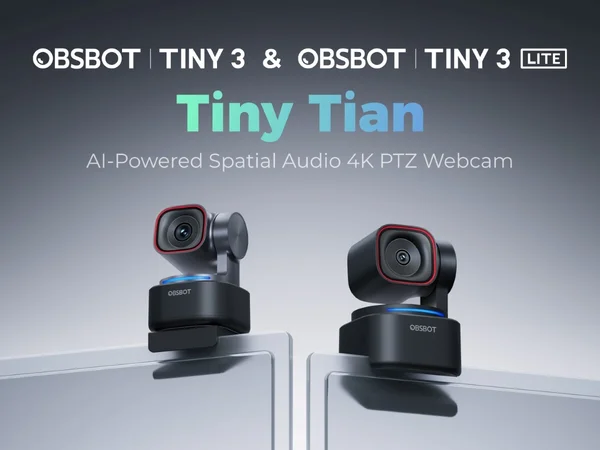
The OBSBOT Tiny 3 is the most capable webcam I have ever tested. It combines a large 1/1.5-inch sensor with a motorized PTZ gimbal, AI tracking that genuinely works, and 4K resolution, creating a camera that feels less like a webcam and more like having a professional camera operator following you around the room.
The AI tracking is the headline feature, and it delivers. Point the Tiny 3 at your desk, and it locks onto your face. Stand up and walk to a whiteboard, and the camera physically rotates to follow you. Sit back down, and it returns to your original position. The tracking is smooth, responsive, and handles multiple people in the frame intelligently. For presentations, teaching, and hybrid meeting scenarios, this level of automation is a genuine productivity gain, you stop thinking about the camera and focus on your content.
Image quality is outstanding. The 1/1.5-inch sensor captures more light than any webcam at this price point, which translates to clean, low-noise images even in challenging lighting. Evening calls from a dimly lit home office look natural rather than grainy. Colors are accurate and skin tones look realistic without the over-processing that some cameras apply.
The spatial audio microphone system is a pleasant surprise. It captures voice clearly while mapping audio directionally, which enhances the experience for viewers who use headphones. Background noise suppression is effective, and the microphone quality is good enough to skip a separate headset for most meeting scenarios.
The OBSBOT app provides extensive control over tracking behavior, image settings, and gesture controls (hand gestures to zoom in, zoom out, or pause tracking). The learning curve is minimal, and the default settings work well out of the box.
The trade-off is price. The Tiny 3 is a premium webcam, and the motorized gimbal adds bulk compared to clip-on cameras. If you sit at a desk and rarely move during calls, you are paying for tracking capabilities you may not use. But if you present, teach, stream, or simply want the best image quality available in a webcam, the OBSBOT Tiny 3 sets the standard. See our full review for the AI tracking accuracy tests.
Insta360 Link 2 Pro: Best Low-Light
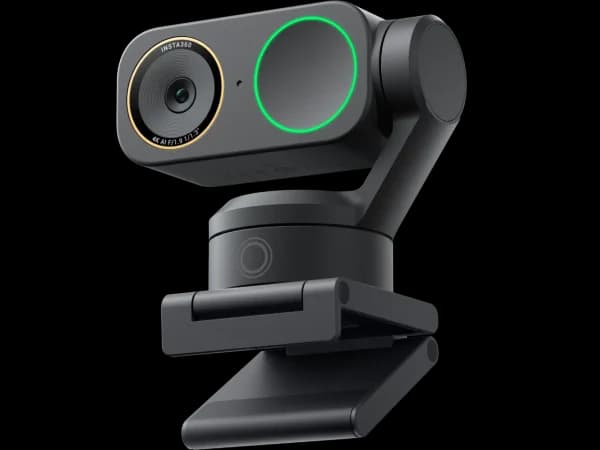
The Insta360 Link 2 Pro packs the largest sensor of any webcam I have tested, a 1/1.3-inch unit that captures light like a mirrorless camera. In low-light conditions, this sensor advantage is dramatic. Where other webcams produce noisy, grainy images under a single desk lamp, the Link 2 Pro delivers clean, well-exposed footage with natural skin tones and accurate colors.
Like the OBSBOT, the Link 2 Pro features a motorized gimbal for AI-powered tracking. The tracking is smooth and reliable, following you as you move around your workspace. Insta360's software adds creative features like whiteboard mode (the camera detects a whiteboard, straightens the perspective, and enhances readability) and desk mode (an overhead view for demonstrating products, sketching, or showing documents).
4K resolution at 30fps provides excellent detail, and the camera produces a natural depth-of-field effect thanks to the large sensor, your background softens slightly without artificial processing, creating a professional-looking image right out of the box.
The microphone array is serviceable for meetings but does not match the OBSBOT's spatial audio quality. For critical audio, you will want a dedicated microphone. The Insta360 app provides comprehensive control over image settings, tracking behavior, and the creative shooting modes.
The Link 2 Pro is slightly larger and heavier than the OBSBOT Tiny 3 due to the bigger sensor assembly. The mounting mechanism works well on monitors but may be tight on thin laptop lids. For users who prioritize the absolute best image quality, especially in low-light and challenging environments, the Link 2 Pro's sensor advantage makes it the technical leader. Read our full review for the low-light comparison shots.
Insta360 Link 2C Pro: Best Compact
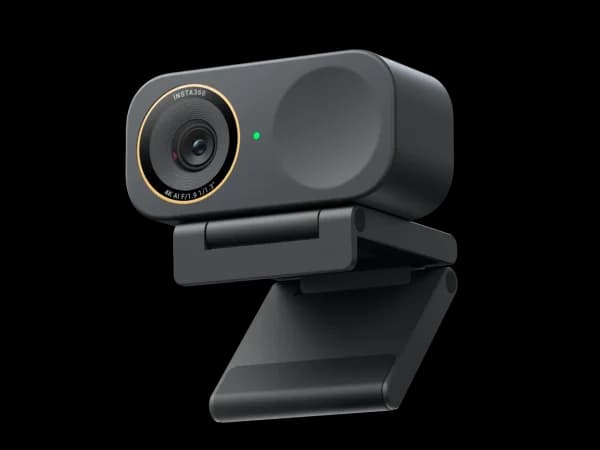
The Link 2C Pro is Insta360's answer to the question: what if the Link 2 Pro were smaller and more affordable? It trades the motorized gimbal for a fixed mount while retaining much of the sensor and image processing technology that makes the Link 2 Pro impressive.
Without the gimbal, the Link 2C Pro relies on digital tracking, the camera crops and pans within its 4K sensor to follow your face. Digital tracking is less dramatic than physical gimbal tracking (the field of view narrows as it zooms in to follow you), but it works well for typical desk scenarios where you are moving within a limited range. For most video calls where you sit at a desk, the difference between physical and digital tracking is minimal.
Image quality is excellent, benefiting from Insta360's sensor technology and image processing. Low-light performance is strong, though a step behind the Link 2 Pro's larger sensor. 4K capture at 30fps provides more than enough detail for meetings and streaming.
The compact form factor is the Link 2C Pro's genuine advantage. It clips onto a monitor or laptop lid without adding bulk, and it looks like a standard webcam rather than a robotic camera perched on your screen. For people who want premium image quality in a conventional webcam form factor, no gimbal, no motorized movements, the Link 2C Pro delivers. The software features mirror the Link 2 Pro, including whiteboard and desk modes.
For the right user, someone who stays at their desk during calls and wants excellent image quality without the size and cost of a gimbal camera, the Link 2C Pro offers the best balance of quality and form factor. See our full review for the digital tracking analysis.
Logitech MX Brio: Best Plug-and-Play

Logitech dominates the webcam market for a reason: their cameras work reliably with every platform, every application, and every operating system without fuss. The MX Brio is their flagship, and it embodies that reliability-first philosophy while adding genuine image quality improvements.
The 4K sensor delivers sharp, well-exposed images in most lighting conditions. Logitech's RightLight 4 technology with HDR handles mixed lighting, backlit windows, overhead fluorescents, single desk lamps, more gracefully than previous generations. The auto-exposure and white balance adjustments are quick and accurate, which means fewer awkward moments where the camera struggles to adapt when lighting changes.
The MX Brio does not track your movement with a gimbal or dramatic digital pan. Instead, it offers Logitech's RightSight auto-framing, which subtly adjusts the crop to keep you centered as you shift in your chair. It is understated and effective, you do not notice it working, which is the point.
Where the MX Brio excels is compatibility and reliability. It works natively with Zoom, Teams, Google Meet, and virtually every video platform without driver installation on Windows and macOS. Logitech's Logi Tune app provides additional controls (exposure, field of view, zoom) for users who want to fine-tune, but the out-of-box experience is the best in the category. Plug it in, and it works.
The built-in microphone is decent for meetings, and the physical privacy shutter blocks the lens with a slide mechanism. The mounting clip fits both monitors and laptop lids securely.
The MX Brio does not match the OBSBOT or Insta360 cameras in raw sensor capability or AI tracking sophistication. Its sensor is smaller, its low-light performance is a step behind, and it lacks motorized tracking. What it offers instead is the most hassle-free webcam experience you can buy, plug in, start your call, look good. For people who want a reliable 4K webcam that works perfectly without an app, a gimbal, or a learning curve, the MX Brio is the right choice. For the best meeting experience, pair any of these webcams with top-rated video conferencing software. Read our full review for the platform compatibility testing.
Head-to-Head: OBSBOT Tiny 3 vs Insta360 Link 2 Pro
These are the two premium PTZ webcams on this list, and they represent different priorities.
Sensor and low-light: The Insta360 Link 2 Pro wins with its larger 1/1.3-inch sensor versus the OBSBOT's 1/1.5-inch sensor. In side-by-side low-light tests, the Insta360 produces cleaner images with less noise. In well-lit conditions, the difference is negligible.
AI tracking: Both use motorized gimbals for physical tracking, and both track reliably. The OBSBOT's gesture controls (hand gestures to zoom and pause) add a layer of interactivity that the Insta360 does not match. The OBSBOT's tracking feels slightly snappier in transitions, while the Insta360's movements are smoother.
Audio: The OBSBOT Tiny 3 wins with its spatial audio microphone system. The Insta360's built-in microphones are adequate but less impressive.
Creative modes: The Insta360 offers whiteboard mode and desk mode, which are genuinely useful for presentations and product demos. The OBSBOT focuses more on tracking versatility.
Size and design: The OBSBOT is slightly more compact. Both are larger than traditional webcams due to their gimbal mechanisms.
Price: Comparable at the premium tier.
For the best overall package with superior audio, choose the OBSBOT Tiny 3. For the absolute best image quality, especially in low-light, choose the Insta360 Link 2 Pro.
Streaming vs Meetings: Different Priorities
The best webcam for video meetings and the best webcam for streaming are not necessarily the same.
For meetings: Reliability and compatibility matter most. You need a camera that works instantly with Zoom, Teams, and Meet without driver issues. Auto-exposure that handles variable lighting gracefully is more important than manual controls. The Logitech MX Brio excels here because of its universal compatibility and set-it-and-forget-it operation.
For streaming: Image quality and creative control matter most. You want the best sensor, the most manual control over exposure and color, and features like background blur and scene presets. The OBSBOT Tiny 3 and Insta360 Link 2 Pro deliver the image quality that streaming demands, and their companion apps provide the fine-tuned control that streamers need. For room-wide setups like game streaming or group content, consider a conference room camera that captures wider angles.
For both: If you use one camera for meetings during the day and streaming in the evening, the OBSBOT Tiny 3 is the best dual-purpose option. Its default settings work well for meetings, and its app provides the manual controls needed for streaming.
The Bottom Line
The best webcams in 2026 are genuine upgrades over built-in laptop cameras, and the gap in quality is immediately visible to everyone on the other end of your calls. The OBSBOT Tiny 3 leads with the most capable AI tracking, excellent image quality, and spatial audio that eliminates the need for a separate microphone. The Insta360 Link 2 Pro delivers the best low-light performance thanks to its massive sensor. The Insta360 Link 2C Pro offers premium image quality in a compact, gimbal-free form factor. And the Logitech MX Brio provides the most reliable plug-and-play experience with universal compatibility.
Upgrading from your laptop webcam is one of the highest-impact changes you can make for your remote work presence. It costs less than a good pair of headphones and makes a more visible difference.
Frequently Asked Questions
Is 4K necessary for video calls?
Most video calling platforms compress video to 1080p or 720p regardless of your camera's resolution. However, a 4K sensor still improves your image quality because it provides more data for digital zoom, auto-cropping, and noise reduction. The image a 4K camera sends at 1080p is cleaner and more detailed than what a native 1080p camera produces.
Do I need a webcam if my laptop has one?
If you do video calls regularly, for work, interviews, teaching, or content creation, yes. Built-in laptop webcams use tiny sensors with limited apertures and unflattering angles. An external webcam with a larger sensor and better positioning produces a dramatically better image. If you only video-call occasionally with friends and family, your built-in camera is fine.
Can I use a webcam for streaming?
Yes, and the premium models on this list are excellent for streaming. The OBSBOT Tiny 3 and Insta360 Link 2 Pro produce image quality that rivals dedicated streaming cameras. For most streamers, a high-end webcam is more practical than a mirrorless camera because it handles exposure, focus, and framing automatically.
How important is the built-in microphone?
For casual meetings, a good built-in microphone (like the OBSBOT Tiny 3's spatial audio array) is sufficient. For professional meetings, podcasting, or streaming, a dedicated USB microphone will deliver noticeably better audio. The built-in microphone is best viewed as a capable backup rather than a primary audio source for critical work.


