
Insta360 Link 2 Pro Review
The Insta360 Link 2 Pro is the most capable webcam we've tested. The combination of a 3-axis gimbal and a 1/1.3-inch sensor means you get both the smoothest tracking and the best low-light performance in one package. If budget permits, this is the webcam to buy.

Insta360 Link 2 Pro Review
The Insta360 Link 2 Pro is the most capable webcam we've tested. The combination of a 3-axis gimbal and a 1/1.3-inch sensor means you get both the smoothest tracking and the best low-light performance in one package. If budget permits, this is the webcam to buy.
Insta360 Link 2 Pro Review
The Insta360 Link 2 Pro is the most capable webcam we've tested. The combination of a 3-axis gimbal and a 1/1.3-inch sensor means you get both the smoothest tracking and the best low-light performance in one package. If budget permits, this is the webcam to buy.

Insta360 Link 2 Pro Pros & Cons
Pros
- Best-in-class 3-axis gimbal tracking combined with a large 1/1.3-inch sensor
- Exceptional low-light performance rivals dedicated conference cameras
- Full feature set — whiteboard mode, desk view, gesture controls, AI background effects
Cons
- Gimbal makes it the bulkiest webcam in this roundup
- At $250, it's the second most expensive webcam here
- Very new product (Jan 2026) — limited real-world testing available
Overview
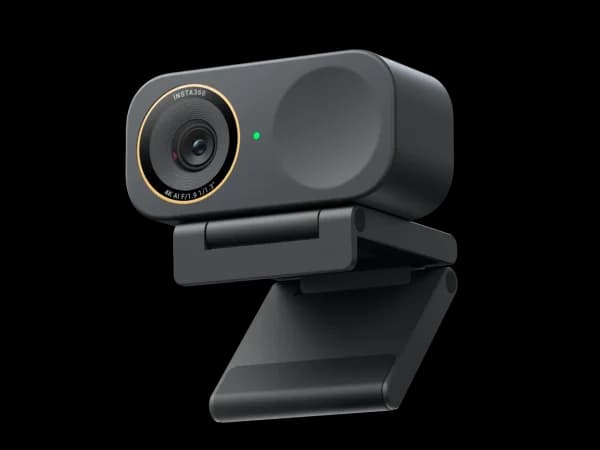
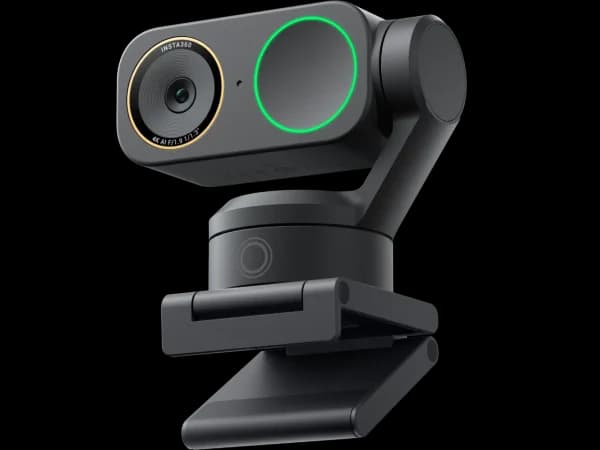
The Insta360 Link 2 Pro combines the two things that matter most in a webcam into one device: a 3-axis gimbal for the smoothest physical tracking available, and a 1/1.3-inch sensor for excellent low-light performance. No other webcam offers both. The standard Link 2 has the gimbal but a smaller sensor. The Link 2C Pro has the large sensor but no gimbal. The Link 2 Pro is the convergence point — the best of both lines in a single package.
At $250, it's a serious investment for a webcam. But for professionals who present, teach, or create content in varied lighting conditions, the Link 2 Pro eliminates compromises that every other camera in this roundup forces you to make.
Features Deep-Dive
3-Axis Gimbal with 1/1.3-Inch Sensor
The combination is the Link 2 Pro's defining achievement. The 3-axis gimbal provides the same smooth, physical pan-tilt-roll tracking as the standard Link 2 — following you across a room, to a whiteboard, or between sitting and standing positions while maintaining full 4K resolution on your face. The 1/1.3-inch sensor adds low-light capability that the standard Link 2's smaller sensor can't match. In dim rooms, the footage is cleaner, skin tones are more accurate, and noise is noticeably reduced. Together, these two upgrades mean the camera produces excellent video regardless of where you are in the room or how your room is lit.
Complete AI Feature Suite
Everything from Insta360's AI platform is here: auto-framing that keeps you centered during seated calls, whiteboard mode that enhances writing and corrects perspective, desk view for documents and objects, gesture controls for hands-free zoom and mode switching, and AI background blur with edge detection. The gesture controls pair particularly well with the gimbal — raise your palm to zoom in while walking to a whiteboard, and the gimbal simultaneously tracks your movement. The AI and mechanical systems work together seamlessly.
Insta360 Link Controller App
The Pro gets the same comprehensive companion app as the rest of the Link 2 line. Scene presets, manual PTZ joystick control, background blur settings, exposure and white balance tuning, tracking speed adjustment, and firmware updates. The software's depth matches the hardware's capability — there's no weak link in the system.
Pricing Analysis
At $250, the Link 2 Pro is the second most expensive webcam in this roundup (behind only the OBSBOT Tiny 3 at $349). It's $50 more than the standard Link 2, and the premium buys you the sensor upgrade exclusively — same gimbal, same software, same features. Whether the sensor upgrade is worth $50 depends entirely on your lighting. In a bright, well-lit room, the standard Link 2 ($200) produces excellent video and the sensor difference is subtle. In dim or mixed lighting, the Pro's larger sensor produces noticeably cleaner, more flattering footage. For presenters and educators who work in different rooms with varying conditions, the Pro ensures consistent quality everywhere.
Who Is This For?
Insta360 Link 2 Pro works best for:
- Professional presenters and educators who work in multiple rooms or environments with varying lighting — the gimbal handles the movement, the large sensor handles the light, and the AI handles the framing. It adapts to any situation
- Content creators who need the complete package — product demos, tutorials, and live shows that require both movement (gimbal tracking) and visual quality (large sensor low-light performance) in a single webcam
- Corporate video production where the webcam needs to perform reliably across conference rooms, home offices, and event spaces — the Link 2 Pro delivers consistent quality regardless of the environment
Who Should NOT Use This
Insta360 Link 2 Pro might not be the right choice if:
- You work in a well-lit space and don't move — the standard Link 2 ($200) saves $50 and produces nearly identical video in good lighting, while the Link 2C Pro ($200) offers the same sensor in a compact body without the gimbal you won't need
- Budget is a primary concern — at $250, you're paying for the combination of gimbal and large sensor. If you only need one of those features, the Link 2 ($200, gimbal + standard sensor) or Link 2C Pro ($200, large sensor + no gimbal) each save $50
Bottom Line
The Insta360 Link 2 Pro is the most capable webcam we've tested. The combination of a 3-axis gimbal and a 1/1.3-inch sensor means you get both the smoothest tracking and the best low-light performance in one package. If budget permits, this is the webcam to buy.
FAQ
Is the Link 2 Pro worth $50 more than the standard Link 2?
The $50 buys you a larger sensor for better low-light performance. In a well-lit room (overhead light + desk lamp or natural daylight), the standard Link 2 produces great footage and the difference is minimal. In a dim room (single light source, evening calls, or inconsistent office lighting), the Pro's sensor produces noticeably cleaner, less noisy footage with better skin tones. If you frequently take calls in suboptimal lighting, the upgrade pays for itself in video quality.
How does the Link 2 Pro compare to the OBSBOT Tiny 3?
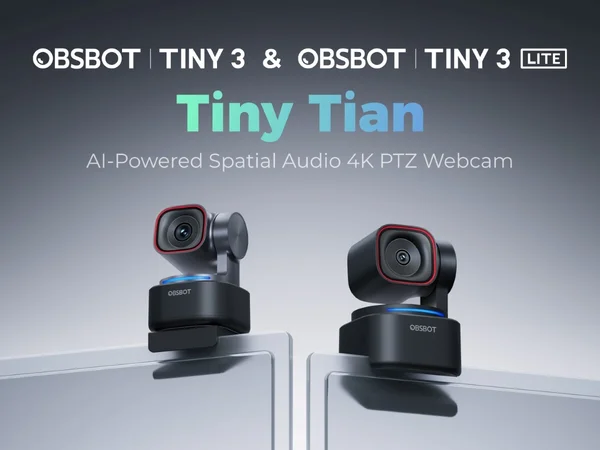
The OBSBOT Tiny 3 ($349) is $99 more expensive and offers superior audio through spatial microphones, slightly higher image quality scores, and OBSBOT's tracking algorithms — which some users prefer for their speed. The Link 2 Pro ($250) counters with a 3-axis gimbal (vs OBSBOT's 2-axis), whiteboard mode, desk view, and the Insta360 Link Controller app. The Link 2 Pro is the more versatile tool; the Tiny 3 is the better all-in-one for creators who want the best video and audio from a single device.
Should I get the Link 2 Pro or the Link 2C Pro?
The Link 2 Pro ($250) has a 3-axis gimbal and the 1/1.3-inch sensor. The Link 2C Pro ($200) has the same sensor but no gimbal — it tracks digitally. If you present, teach, or move during calls, the gimbal is worth $50 extra. If you're seated for most calls and want a compact, silent webcam, the Link 2C Pro saves money and desk space without sacrificing image quality.
Who Is Insta360 Link 2 Pro Best For?
Professionals who want the absolute best webcam for presentations, streaming, and video calls
The Bottom Line
The Insta360 Link 2 Pro is the most capable webcam we've tested. The combination of a 3-axis gimbal and a 1/1.3-inch sensor means you get both the smoothest tracking and the best low-light performance in one package. If budget permits, this is the webcam to buy.
Buy on AmazonKey Specs
Scoring Breakdown
Resolution, frame rate, dynamic range, color accuracy, and sharpness of video output
Image quality in dimly lit environments, noise handling, and sensor sensitivity
Speed and accuracy of autofocus, plus AI-powered face/body tracking capabilities
Built-in microphone clarity, noise cancellation, and suitability for calls/streaming
Physical construction quality, mounting system, privacy features, and aesthetic design
Companion app quality, customization options, HDR modes, and background effects
Overall price-to-performance ratio considering features and build quality