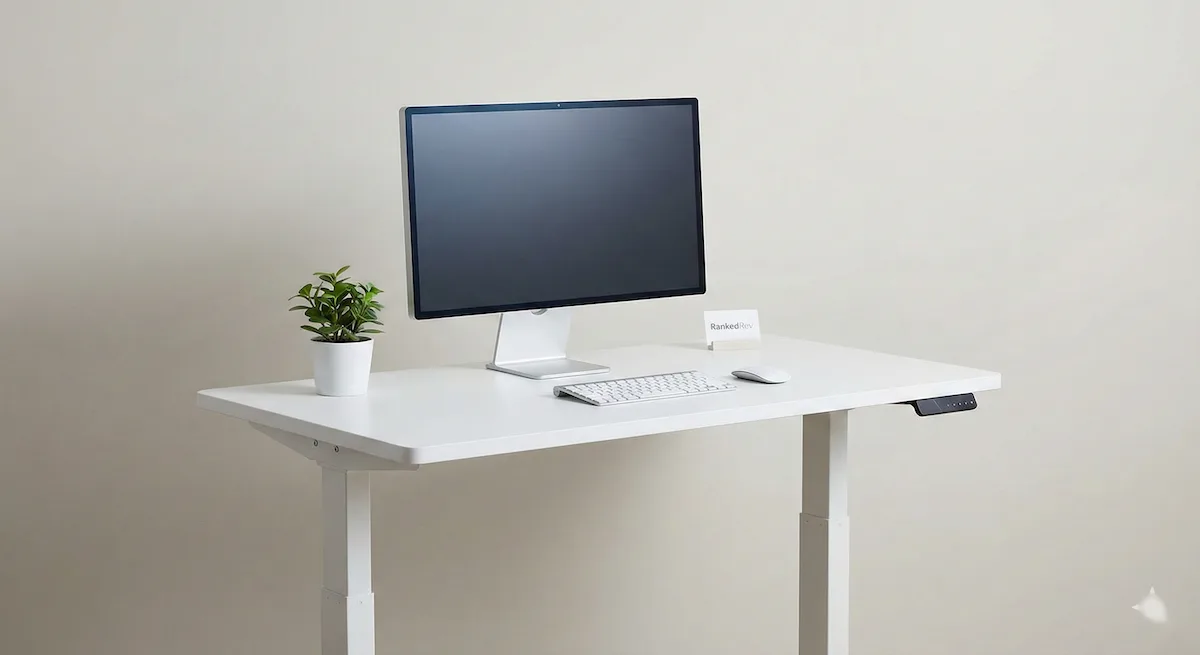
Best Standing Desks in 2026
From budget sit-stand converters to premium motorized desks, we compared the top standing desks for comfort, build quality, and value.

Standing Desks Have Gotten Much Better: and Harder to Choose
The standing desk market in 2026 is unrecognizable from where it was five years ago. Prices have dropped, dual motors are standard even on mid-range models, and the stability issues that plagued early electric desks are largely solved. The problem is that now there are dozens of options that look nearly identical on paper, and the differences that actually matter, frame rigidity, motor longevity, desktop quality, are invisible until you have been using one for months.
I have been testing standing desks in my home office for the past several years, cycling through models from nearly every major brand. I work standing for roughly four hours a day, which gives me a real sense of how these desks perform over time, not just during the first week when everything feels new. This guide focuses on the desks that held up over extended use, with honest assessments of where each one falls short. For the complete ranked list with detailed scoring, visit our best standing desks category page.
What to Look For in a Standing Desk
These are the factors I weigh most heavily, and they are the same criteria behind our scoring methodology.
Stability at standing height. This is the single most important factor and the one most reviews underweight. A desk that wobbles when you type at 44 inches is a desk you will stop using in standing position. Dual-motor frames with crossbar supports provide the best stability. Test this by typing aggressively at maximum height, if the monitor shakes, that is a problem.
Height range. Most electric desks adjust between roughly 25-50 inches. The low end matters more than people realize, if you are under 5'6", many desks do not go low enough to be ergonomically correct when seated. Look for desks that go below 25 inches if you are shorter, or check whether the frame fits your chair height.
Motor quality and speed. Dual motors are quieter, faster, and more reliable than single motors. Budget desks often use single motors that strain under heavier loads. A good desk should transition from sitting to standing in under 10 seconds and produce less noise than a conversation.
Weight capacity. If you have dual monitors, a heavy monitor arm, and desktop accessories, your load adds up faster than you think. Aim for 250 lbs or more of lift capacity, especially if you use a 72-inch or wider desktop.
Warranty. Standing desk frames should last a decade or more. Look for warranties of 10-15 years on the frame and at least 5 years on the motor and electronics. Anything less suggests the manufacturer is not confident in their own build quality.
Our Top Picks
UPLIFT V3 Standing Desk: Best Overall
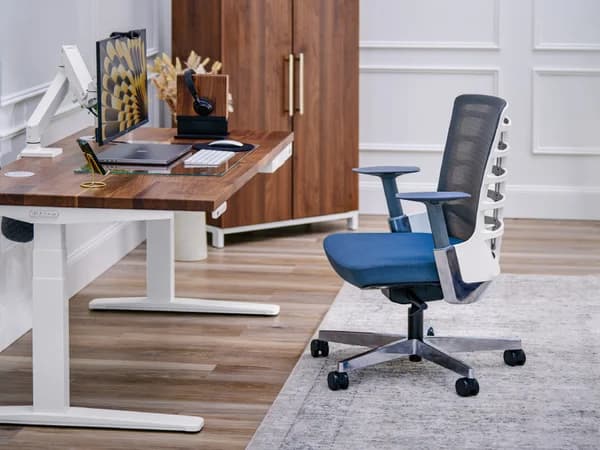
The V3 is UPLIFT's latest revision, and it addresses the minor complaints I had about the V2. The frame is redesigned for better stability, I noticed meaningfully less wobble at standing height compared to the previous generation, even with two 27-inch monitors and a heavy monitor arm. The new FlexMount cable management system is a genuine improvement over zip-tie cable routing, making it easy to keep cords organized without crawling under the desk.
Assembly has been simplified with click-into-place components, which cuts the setup time to about 30-45 minutes. The BIFMA-compliant height range of 22.6 to 48.7 inches covers everyone from very short to very tall users, and the programmable keypad is responsive and intuitive.
The trade-off is price, the V3 costs about $100 more than the V2 it replaces, and premium desktop materials push the total higher. But the desk itself is genuinely best-in-class for stability and build quality, and the extensive customization options (desktop sizes, materials, accessories) mean you can build exactly the desk you want. See our full review for the complete rundown.
Fully Jarvis Standing Desk: Best for Sustainability
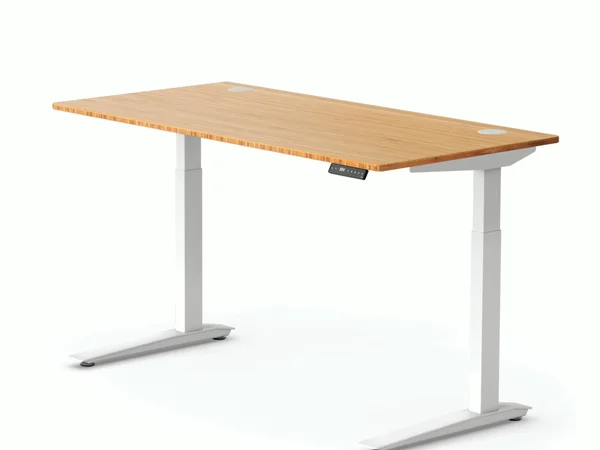
The Jarvis has earned its reputation as one of the most reliable standing desks on the market, and the bamboo desktop option is the reason it stands apart from the UPLIFT V3 in one important way: sustainability. Fully uses MOSO bamboo that grows 20 times faster than hardwood, and the result is a desktop that is beautiful, durable, and lighter than most laminate options.
Stability is excellent, on par with the UPLIFT V3 for everyday use, though the UPLIFT edges it out slightly under heavy loads at maximum height. The 15-year frame warranty is among the best in the industry, and assembly is straightforward with well-written instructions.
The programmable keypad is sold separately, which adds to the cost if you want height presets. Frame color options are also more limited than UPLIFT's lineup. But if eco-friendly materials matter to you and you want a desk that will last 10+ years, the Jarvis delivers. Read our full review for long-term durability impressions.
FlexiSpot E7 Standing Desk: Best Value

The FlexiSpot E7 is the desk I recommend to friends who want something great but do not want to spend UPLIFT or Jarvis money. The 355 lb weight capacity is the highest on this list, you could put a full desktop PC, triple monitors, and a espresso machine on this desk and it would not care. The dual motors are quiet and smooth, and the anti-collision technology prevents damage if you forget to clear a shelf before adjusting.
Where the E7 falls short is polish. The keypad is functional but less intuitive than UPLIFT's, the desktop options are more limited, and customer support responses can be slow. FlexiSpot also runs frequent sales, which means you should never pay full price, wait for a promotion and you will get premium performance for mid-range money.
For the price, the E7 delivers 90% of what the UPLIFT V3 offers. If that extra 10% (better cable management, more customization, slightly better stability) is not worth the price premium, the E7 is the smart buy. See our full review for head-to-head comparisons.
Secretlab Magnus Pro: Best for Gamers
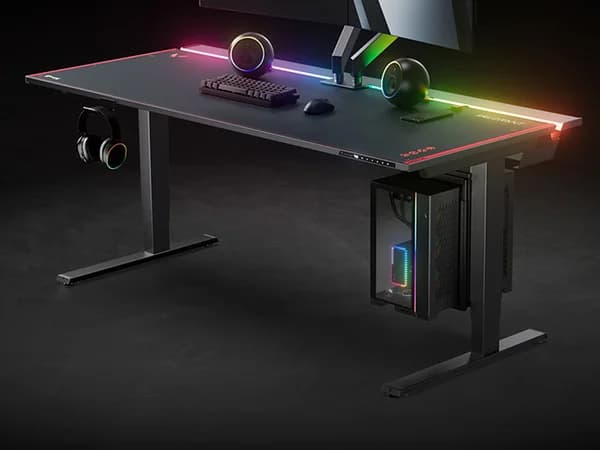
If cable management is your obsession, the Magnus Pro is in a league of its own. The full-length cable tray is built into the desk's metal frame, not bolted underneath as an afterthought. Magnetic accessories snap onto the rear beam for headphone hooks, power strip mounts, and cable clips. The result is a desk that can look genuinely clean, even with a complex gaming or streaming setup.
The all-metal construction gives it a premium feel that laminate desks cannot match. The dual motors include anti-collision, and the 5-year warranty comes from a brand that gaming enthusiasts already trust. Where the Magnus Pro struggles is value for traditional office work. If you do not care about the magnetic ecosystem or the gaming aesthetic, you are paying extra for features that do not serve you. But for streamers and gamers who treat their desk as part of their setup, it is excellent. Check out our full review for the full accessories breakdown.
Vari Electric Standing Desk: Easiest Setup
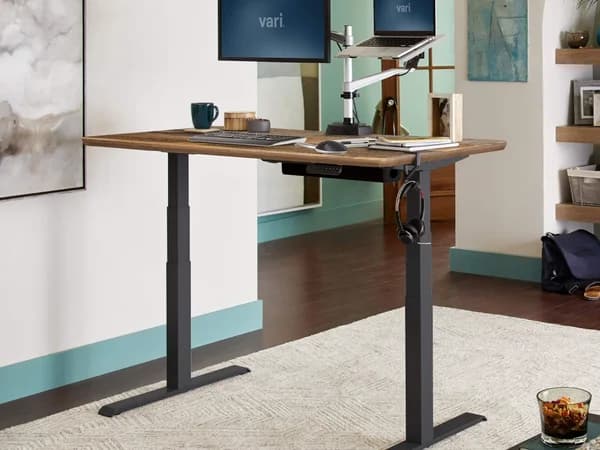
Vari's headline feature is zero assembly. The desk arrives fully assembled, you unbox it, attach the feet, plug it in, and you are done in under five minutes. For anyone who dreads the idea of spending an hour with an Allen wrench, this is a compelling proposition.
The T-style legs provide solid stability, and Vari's customer service is consistently excellent. The matching accessories ecosystem (monitor arms, cable management, filing cabinets) makes it easy to build a coordinated office setup. The trade-off is fewer customization options and a higher price relative to the features offered. You are paying a premium for convenience and the Vari brand. Read our full review for the full assessment.
Head-to-Head: UPLIFT V3 vs Fully Jarvis
This is the comparison most buyers are making, and both desks are excellent. The UPLIFT V3 wins on customization (more desktop options, more accessories, more frame colors), cable management (FlexMount is better than Jarvis's basic routing), and stability under heavy loads. The Jarvis wins on sustainability (bamboo desktop), assembly simplicity, and warranty length (15 years vs UPLIFT's 15 years on frame but less on electronics).
If you prioritize a clean, well-built desk with maximum configuration options, go with UPLIFT. If you want a bamboo desktop and a brand that takes sustainability seriously, go with Jarvis. Both will serve you well for a decade.
Budget vs Premium: Is It Worth the Upgrade?
The entry point for a decent electric standing desk is around $350-400 (FlexiSpot E7 on sale). The premium tier runs $700-1,000+ (UPLIFT V3 or Jarvis with premium desktops). The question is whether the extra $300-600 is worth it.
My honest answer: yes, if you will use it daily for years. A standing desk is not like a gadget you replace annually, it is furniture that should last a decade. The differences in frame stability, motor quality, and desktop materials become obvious after months of daily use. The FlexiSpot E7 is the floor I would recommend, anything below it starts making compromises that affect long-term satisfaction.
The Bottom Line
The UPLIFT V3 is the best standing desk you can buy in 2026, the most stable, the most customizable, and the most thoughtfully designed. The Jarvis is nearly as good with a sustainability edge. The FlexiSpot E7 delivers premium performance for mid-range money. The Secretlab Magnus Pro is the obvious choice for gamers, and the Vari is the pick for people who simply will not assemble furniture.
The standing desk you actually use standing is infinitely better than the one you leave in seated position. Pick one, set a timer, and stand up.
Frequently Asked Questions
How long should I stand at a standing desk?
The current research suggests alternating between sitting and standing every 30-60 minutes. Standing all day is not the goal, the health benefits come from movement and position changes, not from standing still for eight hours.
Do standing desks help with back pain?
They can, but they are not a cure. Alternating between sitting and standing reduces the sustained load on your lower back from prolonged sitting. Pair a standing desk with an anti-fatigue mat and proper monitor height for the best results.
Is a standing desk converter worth it instead?
If you have a desk you love and just want to add standing capability, a converter can work. But converters reduce your usable desk space, are less stable than full desks, and cost $200-400 for good ones, at which point you are not far from an entry-level electric desk. We compare both options in our standing desk vs converter guide.
You Might Also Like
Best Portable Power Stations in 2026
 James Mitchell
Best Mechanical Keyboards in 2026
 Marcus Rivera
Best Travel eSIMs 2026: A Complete Buyer's Guide
James Mitchell