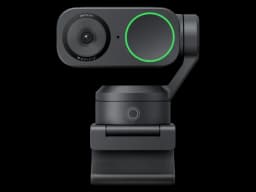
Insta360 Link 2
Presenters, educators, and streamers who need smooth physical tracking and versatile shooting modes
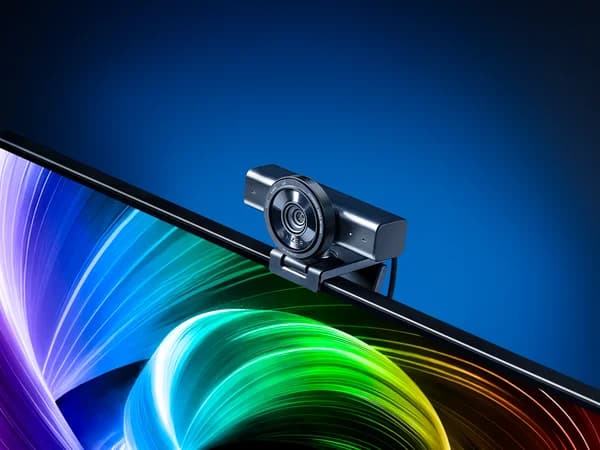
Razer Kiyo V2
Streamers and content creators in the Razer ecosystem who prioritize raw image quality over AI features

Score Comparison
Pricing & Features
Making Your Decision

When to Choose Insta360 Link 2
Presenters, educators, and streamers who need smooth physical tracking and versatile shooting modes
The Insta360 Link 2 remains one of the best gimbal webcams available. The 3-axis physical tracking is noticeably smoother than any digital-only solution, and the whiteboard/desk view modes add genuine utility. If you present, teach, or demo products on camera, the Link 2 is purpose-built for you.
Strengths
- 3-axis gimbal provides smooth physical tracking — best-in-class movement
- Whiteboard mode, overhead desk view, and gesture controls for versatile use
- Insta360 Link Controller app with excellent customization and scene presets
Limitations
- Gimbal adds bulk — significantly larger than compact webcams
- Gimbal motor noise is audible in quiet environments
- Built-in microphone is average — external mic recommended for streaming

When to Choose Razer Kiyo V2
Streamers and content creators in the Razer ecosystem who prioritize raw image quality over AI features
The Razer Kiyo V2 delivers excellent 4K image quality with a larger sensor than most competitors at this price. The metal construction and Synapse integration are highlights. However, the lack of AI tracking at $150 is a notable gap when competitors like the OBSBOT Meet 2 include it for less.
Strengths
- 4K30 video with a large sensor delivering excellent dynamic range
- Premium all-metal build quality that feels high-end
- Razer Synapse provides deep customization and Chroma RGB support
Limitations
- No AI auto-framing or tracking at this price — surprising omission
- Limited to 4K30 — no 4K60 option for smoother video
- $150 feels steep without AI features that competitors include