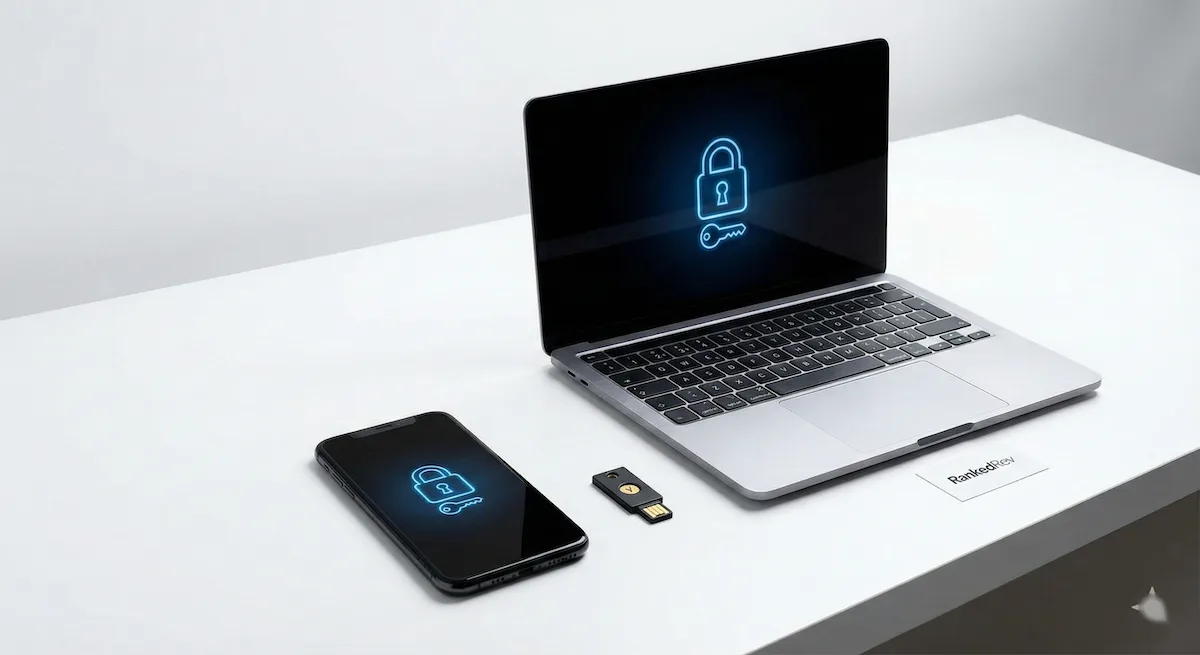
Best Password Managers in 2026
From zero-knowledge encryption to seamless autofill, we compared the top password managers for security, usability, and cross-platform support.

Most People Still Use the Same Password Everywhere
I wish that headline were an exaggeration, but the numbers are bleak. A 2025 survey from the FIDO Alliance found that 59% of respondents reuse passwords across multiple accounts, and 38% admit to using the same password for everything. Meanwhile, credential-stuffing attacks, where hackers take leaked passwords from one breach and try them on every other service, have increased 65% year over year. The math is simple: if you are not using a password manager in 2026, you are one data breach away from losing access to everything.
The good news is that password managers have gotten dramatically better. The best options today handle not just passwords but passkeys, two-factor authentication codes, secure notes, and even file attachments, all encrypted with zero-knowledge architecture that means the provider itself cannot read your data. The bad news is that the market is crowded, and choosing between them requires understanding real differences in security models, usability, and pricing. That is what this guide is for.
For the full ranked list with detailed scoring breakdowns, head to our best password managers category page.
What Actually Matters When Choosing a Password Manager
Before I walk through specific products, here are the criteria that separate genuinely good password managers from ones that just check a box. These are the same factors behind our scoring methodology.
Zero-knowledge encryption architecture. Your vault should be encrypted locally on your device before anything touches the provider's servers. The company should never have access to your master password or your decrypted data. This is non-negotiable, if a provider cannot clearly explain their encryption model, move on.
Cross-platform sync and browser integration. A password manager that only works on your laptop is a password manager you will stop using. You need seamless sync across desktop, mobile, and browser extensions, and the autofill needs to actually work. Broken autofill is the number one reason people abandon password managers.
Passkey support. Passkeys are replacing passwords for many services, and your password manager needs to store and sync them. In 2026, this is table stakes. Any manager that does not support passkeys is already behind.
Breach monitoring and security audits. The best password managers actively monitor your stored credentials against known breaches and alert you when something is compromised. This is not a nice-to-have, it is the difference between finding out about a breach in hours versus months.
Family and team sharing. If you live with other people or manage a team, the ability to securely share credentials without exposing the actual password text is essential. Look for granular permissions, you should be able to share a login without giving the recipient the ability to see or copy the underlying password.
Our Top Picks
1Password: Best Overall

1Password has been my personal password manager for over six years, and after testing every major competitor for this guide, it remains the one I recommend first. The reason is simple: it does everything well and nothing poorly. The interface is clean and intuitive across every platform, Mac, Windows, iOS, Android, and browser extensions that actually work with autofill instead of fighting it.
The Watchtower feature is 1Password's security dashboard, and it is genuinely useful rather than just a marketing bullet point. It flags weak passwords, reused credentials, sites where you have not enabled two-factor authentication, and accounts that have appeared in known data breaches. I check it monthly, and it consistently catches things I would have missed. The vulnerability alerts pull from the Have I Been Pwned database and update in near real-time.
Travel Mode is a feature I have not seen replicated well by any competitor. It lets you remove sensitive vaults from your devices before crossing a border, so if your phone is inspected, those credentials simply are not there. You restore them with one tap once you are through. For anyone who travels internationally with sensitive client data or corporate credentials, this alone justifies choosing 1Password.
The passkey support is mature and well-integrated, 1Password can store, sync, and autofill passkeys across all your devices, which is exactly how passkeys should work but often do not with other managers. The family plan at $4.99 per month covers five users with private and shared vaults, which is the sweet spot for most households.
The only real downside is that there is no free tier. 1Password costs $2.99 per month for individuals and $4.99 for families, which is reasonable for what you get but means you cannot try the full product without paying. Still, the 14-day free trial is enough to know whether it fits your workflow. See our full review for the complete breakdown.
Bitwarden: Best Free Option

Bitwarden is the password manager I recommend to anyone who asks "do I really need to pay for this?" The free tier is remarkably complete: unlimited passwords, unlimited devices, cross-platform sync, a browser extension, and the same zero-knowledge encryption architecture that the paid tier uses. Most competing free tiers limit you to a single device or cap your stored items, Bitwarden does neither.
The open-source model is a significant trust differentiator. The entire codebase is publicly auditable on GitHub, and Bitwarden undergoes regular third-party security audits. This means the encryption claims are not just marketing, they are verifiable by anyone with the technical background to check. In a market where "trust us" is the standard pitch, Bitwarden says "verify us." That matters.
The self-hosting option puts Bitwarden in a category of its own for privacy-conscious users and small businesses. You can run the entire Bitwarden server stack on your own hardware, which means your encrypted vault never touches Bitwarden's infrastructure at all. This requires technical knowledge to set up and maintain, but for those who want it, no other mainstream password manager offers this level of control.
Where Bitwarden falls short compared to 1Password is polish. The interface is functional but not elegant. Autofill occasionally misidentifies form fields. The mobile apps work but feel a generation behind 1Password's smoothness. And the free tier lacks some features that matter, notably, the authenticator for TOTP codes and emergency access require the $10 per year premium plan.
That $10 per year premium tier is worth highlighting because it is absurdly cheap. For less than one dollar per month, you get TOTP authenticator support, 1GB of encrypted file storage, emergency access, and Bitwarden's vault health reports. If you are choosing between Bitwarden free and Bitwarden premium, the upgrade is a no-brainer. Read our full review for more.
Dashlane: Most Features

Dashlane takes a "Swiss Army knife" approach to password management, bundling features that most competitors sell separately or do not offer at all. The headline addition is a built-in VPN powered by Hotspot Shield, which means your Dashlane subscription also covers basic VPN protection, unusual for a password manager and genuinely useful if you do not already have a VPN. It is not a replacement for a dedicated VPN service (for that, see our best VPN services buying guide), but it covers casual use on public Wi-Fi.
The Password Health dashboard is Dashlane's equivalent of 1Password's Watchtower, and it is arguably more visually intuitive. It assigns your overall password hygiene a score out of 100 and breaks down exactly which passwords are weak, reused, or compromised. The dark web monitoring scans for your email addresses and alerts you if they appear in breach databases.
Dashlane's autofill is excellent, consistently among the most reliable I have tested across browsers and mobile platforms. The form-filling extends beyond passwords to addresses, payment cards, and even ID documents, which makes it useful for everyday browsing beyond just login pages.
The pricing is the sticking point. Dashlane's premium plan runs $4.99 per month for individuals, which is notably more expensive than 1Password or Bitwarden. The family plan at $7.49 per month covers up to 10 members, which is generous on headcount but expensive in absolute terms. The free tier is severely limited, one device only, which makes it essentially useless for anyone with a phone and a computer. If you want the deepest feature set and do not mind paying for it, Dashlane delivers. See our full review for the full analysis.
Keeper: Best for Business

Keeper is the password manager I see most often in enterprise environments, and for good reason. The admin console gives IT teams granular control over password policies, role-based access, and compliance reporting. SOC 2 Type II and ISO 27001 certifications are current and independently verified, critical for organizations that need to demonstrate compliance to auditors or clients.
BreachWatch is Keeper's dark web monitoring feature, and it goes deeper than most competitors. It continuously scans underground databases and dark web marketplaces for credentials matching those stored in your vault, providing actionable alerts with specific steps to remediate each finding. For businesses, this translates to proactive breach response rather than reactive damage control.
The personal plans are solid, Keeper's individual tier runs $2.92 per month and includes unlimited passwords, cross-device sync, and biometric login. The family plan covers five users for $6.25 per month. The interface is clean and the autofill works reliably, though it lacks the visual polish that 1Password brings.
Where Keeper gets complicated is the add-on pricing. Secure file storage, BreachWatch dark web monitoring, and the concierge service are each billed separately, which means the all-in cost can creep significantly above the base price. For businesses that need the compliance features and admin controls, Keeper justifies the investment. For individual users, the add-on model feels less competitive compared to 1Password or Bitwarden, which bundle more features into the base price. Read our full review for enterprise details.
NordPass: Best from VPN Brand

NordPass comes from Nord Security, the company behind NordVPN, and it benefits from that security pedigree. The standout technical detail is the use of XChaCha20 encryption instead of the AES-256 that every other password manager on this list uses. Both are considered cryptographically secure, but XChaCha20 is faster in software implementations and avoids certain theoretical timing-attack vulnerabilities that affect AES. In practical terms, you will not notice the difference, but it signals that NordPass is thinking about cryptography at a deeper level than "just use AES."
The interface is clean and modern, with a focus on simplicity that makes it a good choice for users who find password managers intimidating. The password generator, autofill, and cross-device sync all work as expected. Email masking, which generates alias email addresses for each account you create, is a nice privacy feature that reduces your exposure in breach scenarios.
The free tier allows unlimited passwords but limits you to a single device at a time, which is restrictive but still usable. The premium plan at $1.49 per month (on a two-year commitment) is the cheapest paid option on this list. The family plan covers six users for $3.69 per month.
Where NordPass falls behind is maturity. The feature set is thinner than 1Password or Dashlane, no Travel Mode, no built-in VPN, no ID document storage. The passkey implementation is functional but not as polished as 1Password's. For users who are already in the Nord ecosystem (NordVPN, NordLocker) or who want a simple, affordable password manager without advanced features, NordPass is a sensible choice. See our full review for the breakdown.
Head-to-Head: 1Password vs Bitwarden
This is the comparison that comes up in every password manager discussion, and the answer depends on what you value most.
Security model: Both use zero-knowledge encryption and have been independently audited. Bitwarden's open-source codebase provides an additional layer of transparency that 1Password's proprietary code does not. However, 1Password's Secret Key, an additional encryption layer generated at signup, adds defense-in-depth that Bitwarden does not replicate.
Usability: 1Password wins decisively. The apps are more polished, the autofill is more reliable, and features like Watchtower and Travel Mode are genuinely useful additions that Bitwarden has not matched. If you are setting up a password manager for a family member who is not technical, 1Password's design makes adoption much easier.
Price: Bitwarden wins just as decisively. The free tier covers most users' needs, and the $10/year premium tier is a tenth of what 1Password charges. For budget-conscious users, this is a massive differentiator.
Self-hosting: Bitwarden offers it, 1Password does not. For privacy purists and organizations with strict data residency requirements, this can be the deciding factor.
My recommendation: If you can afford $3/month, choose 1Password for the better experience and Travel Mode. If budget is a primary concern or you value open-source transparency, Bitwarden at $10/year, or even free, is excellent.
Passkeys Are Coming: Your Password Manager Needs to Handle Them
Passkeys are the biggest shift in authentication since two-factor authentication went mainstream. Instead of a password, you authenticate with a cryptographic key pair tied to your device and unlocked by biometrics or a PIN. Google, Apple, Microsoft, and hundreds of websites now support passkeys, and adoption is accelerating.
The password managers on this list are adapting at different speeds. 1Password and Dashlane have the most mature passkey implementations, they can create, store, sync, and autofill passkeys across platforms. Bitwarden's passkey support is functional and improving rapidly. Keeper and NordPass support passkey storage but the cross-platform sync is less seamless.
This matters because passkeys need to be synced across devices to be useful. A passkey stored only on your iPhone does not help when you are logging in from your work laptop. Password managers solve this problem, and the ones that handle passkeys well today will be the most relevant in two years.
The Bottom Line
The best password managers in 2026 have reached a maturity level where any of the options on this list will dramatically improve your security posture compared to using no password manager at all. The choice between them is about priorities.
1Password (9.25) is the best overall package, polished, feature-rich, and the most reliable across platforms. Bitwarden (9.05) proves that excellent security does not require a paid subscription and gives power users the option to self-host. Dashlane (8.55) bundles the most features including a VPN. Keeper (8.35) is the enterprise choice with serious compliance credentials. And NordPass (8.15) offers a simple, affordable entry point backed by solid cryptography.
Stop reusing passwords. Stop keeping them in a notes app. Pick a password manager and spend an hour migrating your most important accounts. Future you will be grateful.
Frequently Asked Questions
What happens if my password manager gets hacked?
This is the most common concern, and it is a reasonable one. The short answer: if your password manager uses zero-knowledge encryption (all five on this list do), a server breach exposes only encrypted data that is useless without your master password. The 2022 LastPass breach demonstrated both the risk and the protection, encrypted vaults were stolen, but users with strong master passwords remained secure. The takeaway: use a strong, unique master password and enable two-factor authentication on your vault.
Should I use my browser's built-in password manager instead?
Browser-based password managers (Chrome, Safari, Firefox) have improved significantly, but they lack several features that dedicated managers provide: cross-browser support, secure sharing, breach monitoring, secure notes, and passkey management across platforms. If you only use one browser on one device, the built-in option is better than nothing. For everyone else, a dedicated password manager is worth the effort.
How do I create a strong master password?
Use a passphrase, four or more random words strung together, ideally with a number or symbol mixed in. Something like "correct-horse-battery-staple-47" is both strong and memorable. Avoid personal information, dictionary words alone, or patterns. Your master password should be the one password you memorize and never write down digitally.
Can password managers be used for two-factor authentication?
Yes. Most password managers (including 1Password, Bitwarden premium, and Dashlane) can generate TOTP codes, the six-digit codes that rotate every 30 seconds. Some security purists argue that storing 2FA codes in the same app as your passwords defeats the purpose of two-factor authentication. The counterargument is that a password manager with 2FA codes is still far more secure than not using 2FA at all. My view: use your password manager for TOTP codes on most accounts, but keep a separate authenticator app for your most critical accounts (email, banking, the password manager itself).
You Might Also Like
Best Portable Power Stations in 2026
 James Mitchell
Best Mechanical Keyboards in 2026
 Marcus Rivera
Best Travel eSIMs 2026: A Complete Buyer's Guide
James Mitchell