
Neat Bar Gen 2 Review
The Neat Bar Gen 2 builds on Neat's design-first philosophy with a significantly upgraded camera and AI engine. The 50MP sensor and improved Neat Symmetry deliver noticeably better framing than the original. The Zoom/Teams-only limitation remains, but for those platforms, it's one of the most elegant solutions available.

Neat Bar Gen 2 Review
The Neat Bar Gen 2 builds on Neat's design-first philosophy with a significantly upgraded camera and AI engine. The 50MP sensor and improved Neat Symmetry deliver noticeably better framing than the original. The Zoom/Teams-only limitation remains, but for those platforms, it's one of the most elegant solutions available.
Neat Bar Gen 2 Review
The Neat Bar Gen 2 builds on Neat's design-first philosophy with a significantly upgraded camera and AI engine. The 50MP sensor and improved Neat Symmetry deliver noticeably better framing than the original. The Zoom/Teams-only limitation remains, but for those platforms, it's one of the most elegant solutions available.

Neat Bar Gen 2 Pros & Cons
Pros
- Next-generation Neat Symmetry AI with improved multi-person framing accuracy
- Sleek, minimal design that blends seamlessly into modern meeting spaces
- 50MP camera sensor with 4K output and excellent low-light performance
- Neat Pulse cloud management with zero-touch provisioning for IT teams
Cons
- Limited to Zoom and Teams — no Google Meet or open SIP support
- Sold primarily through AV channel partners — not widely available on Amazon
- Neat Pad controller adds $700+ to total deployment cost
Overview
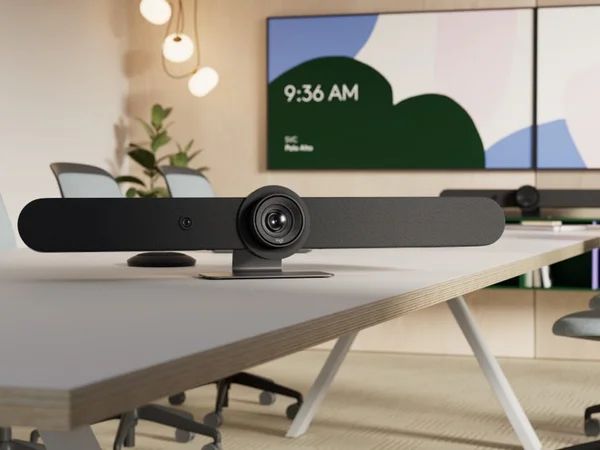
The Neat Bar Gen 2 distills the Neat Bar Pro's design philosophy into a more compact, more affordable package aimed at small-to-medium rooms. It's the video bar you buy when you want a conference room to look like it was designed by a furniture company rather than an IT department. At just 25.6 inches wide and 2.76 inches tall, it practically disappears below a display — thinner than a MacBook Pro.
The star of the show is the 50MP camera sensor with Neat Symmetry AI, which individually frames each participant at equal visual size regardless of their position in the room. This is the same patent-pending technology from the Bar Pro, adapted for the Gen 2's single-camera architecture with 4x digital zoom. The result is notably better framing than the gen-1 Neat Bar, particularly in rooms where participants sit at varying distances from the camera.
The trade-off is reach. With a 16-foot (5-meter) microphone range and support for up to 10 participants, the Gen 2 is explicitly a small-to-medium room solution. But within that envelope, it delivers a combination of design elegance, AI framing sophistication, and build quality that justifies its $3,990 price point for organizations committed to Zoom or Teams.
Features Deep-Dive
Neat Symmetry on a Single Sensor
The Gen 2's implementation of Neat Symmetry works differently from the Bar Pro's dual-camera system but achieves a similar result. The 50MP sensor captures an enormous amount of detail across its 113° field of view, giving the AI engine plenty of resolution to crop, zoom, and individually frame each participant. The system builds a spatial understanding of the room and adjusts framing dynamically — if someone leans forward or moves to a different seat, Symmetry adapts within seconds. The 4x digital zoom is sufficient for rooms up to about 16 feet deep, where participants remain within the camera's effective range. For deeper rooms, the Bar Pro's 16x hybrid zoom and telephoto lens provide dramatically more reach.
Environmental Sensing and Auto-Wake
The Neat Bar Gen 2 includes integrated sensors for room occupancy, ambient temperature, humidity, and air quality — data that feeds into Neat Pulse's management dashboard. The practical application goes beyond monitoring: the device auto-wakes when someone enters the room and auto-sleeps when the room empties, reducing energy consumption and ensuring the system is ready before the first participant sits down. It also automatically detects its mounting orientation (above display, below display, on a table stand) and adjusts the camera view accordingly — a small but thoughtful feature that eliminates manual calibration during installation. The ambient light sensor continuously adjusts white balance and color correction, adapting to changing lighting conditions throughout the day.
Slim Design and Flexible Mounting
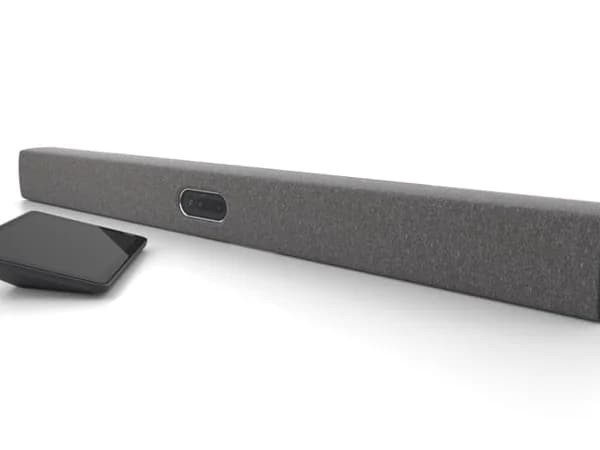
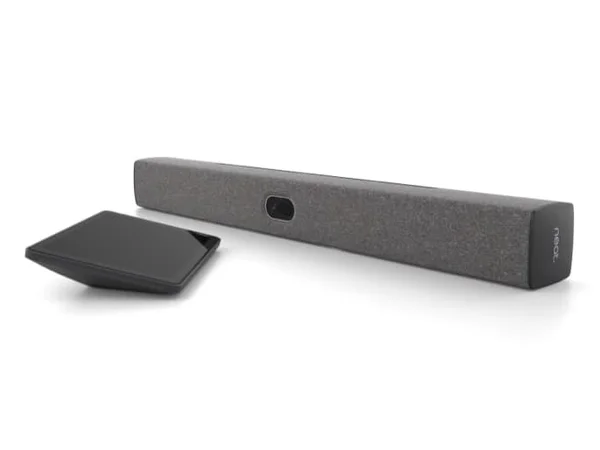
At 650 x 70 x 70mm and just 3.75 pounds, the Gen 2 is one of the most physically unobtrusive conference room cameras available. The included mounting options — wall mount, snap-on mount for display bezels, and table stand — cover every common installation scenario without requiring additional purchases. Dual HDMI outputs drive two 4K displays, and the HDMI input handles content sharing from laptops. USB-C with DisplayPort Alt Mode enables BYOD connectivity, making the Gen 2 functional even outside its native Zoom/Teams ecosystem. The dual-speaker system with opposing drivers produces clean, distortion-free audio that belies the bar's slim profile.
Pricing Analysis
At $3,990, the Neat Bar Gen 2 sits in the premium-to-mid-range bracket — more than the Logitech Rally Bar Mini ($3,299) but less than the Logitech Rally Bar ($4,199). The comparison with the Rally Bar Mini is the most direct: both target small-to-medium rooms, both offer AI auto-framing, and both include cloud management. The Gen 2's advantages are its Neat Symmetry individual framing, slimmer design, and newer 50MP sensor. The Rally Bar Mini counters with Google Meet support, expandable mic pods, and the Logitech Sync ecosystem. One important note: the Neat Pad controller is sold separately at approximately $700, so the real deployment cost is closer to $4,700 — though the Gen 2 can operate without it using the Zoom or Teams interface on a connected display.
Who Is This For?
Neat Bar Gen 2 works best for:
- Design-focused organizations outfitting modern meeting rooms where the video bar needs to complement the interior design — the Gen 2's minimal profile and premium materials set a new standard for conference room aesthetics
- Small-to-medium Zoom or Teams rooms (4-10 people) where Neat Symmetry's individual participant framing provides a noticeable quality upgrade over standard auto-framing, particularly in rooms where people sit at different distances from the camera
- Facilities teams that value environmental intelligence — the integrated occupancy, temperature, humidity, and air quality sensors feed into Neat Pulse, providing data that helps optimize meeting room utilization and workplace health
Who Should NOT Use This
Neat Bar Gen 2 might not be the right choice if:
- You need coverage beyond 16 feet — the Gen 2's microphone array is designed for rooms up to 5 meters deep. Larger conference rooms should look at the Neat Bar Pro (33 ft range) or the Logitech Rally Bar (23 ft, expandable with Mic Pods).
- You run Google Meet, Webex, or open SIP — while BYOD mode via USB-C works with any platform, the native room OS is limited to Zoom and Teams. Multi-platform organizations get better native support from Logitech's Rally Bar family.
- Budget is tight and you need a controller — the Neat Pad adds roughly $700 to the deployment cost. The Logitech Rally Bar Mini at $3,299 includes appliance mode without requiring a separate controller purchase.
Bottom Line
The Neat Bar Gen 2 is the best-looking conference camera you can buy, and that matters more than spec-obsessed reviewers tend to admit. In client-facing meeting rooms, executive offices, and design-conscious workplaces, the Gen 2's slim profile makes every alternative look like industrial equipment. But it's not just a pretty face — the 50MP sensor and Neat Symmetry deliver genuinely superior framing quality for small-to-medium rooms. The Zoom/Teams limitation is the only significant constraint.
FAQ
How does the Neat Bar Gen 2 compare to the original Neat Bar?
The Gen 2 is a significant upgrade: a 50MP sensor (vs. the original's lower resolution), improved Neat Symmetry AI, environmental sensors (occupancy, temperature, humidity, air quality), and a slimmer design. The core improvement is framing quality — the higher-resolution sensor gives Symmetry much more detail to work with when individually framing participants.
Can I buy the Neat Bar Gen 2 on Amazon?
Currently, the Gen 2 is sold primarily through AV channel partners and Neat's direct sales. It isn't widely available on Amazon, which can make procurement more complex for organizations that prefer standard retail purchasing channels. Contact Neat or an authorized AV reseller for ordering.
Does it work with Google Meet?
The Gen 2 supports Google Meet as a native platform alongside Zoom and Teams. However, some advanced features may have limited availability on Meet compared to Zoom and Teams. It also works with any platform in BYOD mode via USB-C.
What's the difference between Neat Bar Gen 2 and Neat Bar Pro?
The Bar Pro is designed for large rooms (14+ people, 33 ft range) with dual 50MP cameras, 16x hybrid zoom, and a 16-microphone array. The Gen 2 targets small-to-medium rooms (up to 10 people, 16 ft range) with a single 50MP camera, 4x digital zoom, and a 9-microphone array. The Pro also supports triple-screen setups via three HDMI outputs. Choose the Pro for large boardrooms, the Gen 2 for huddle-to-medium spaces.
Who Is Neat Bar Gen 2 Best For?
Design-conscious organizations using Zoom or Teams that want the latest AI framing technology in medium-sized rooms
The Bottom Line
The Neat Bar Gen 2 builds on Neat's design-first philosophy with a significantly upgraded camera and AI engine. The 50MP sensor and improved Neat Symmetry deliver noticeably better framing than the original. The Zoom/Teams-only limitation remains, but for those platforms, it's one of the most elegant solutions available.
Try Neat Bar Gen 2 TodayKey Specs
Scoring Breakdown
Camera resolution, AI-powered auto-framing, speaker tracking accuracy, and field of view coverage
Microphone array quality, pickup range, noise cancellation, echo suppression, and built-in speaker clarity
Maximum room size support, participant capacity, zoom capabilities, and ability to capture all meeting participants
Native support for Zoom Rooms, Microsoft Teams Rooms, Google Meet, Webex, and BYOD/USB connectivity
Installation simplicity, IT remote management tools, firmware update process, and enterprise deployment features
Physical construction quality, aesthetics, mounting flexibility, form factor, and thermal management
Price-to-feature ratio, included accessories, warranty coverage, and total cost of ownership