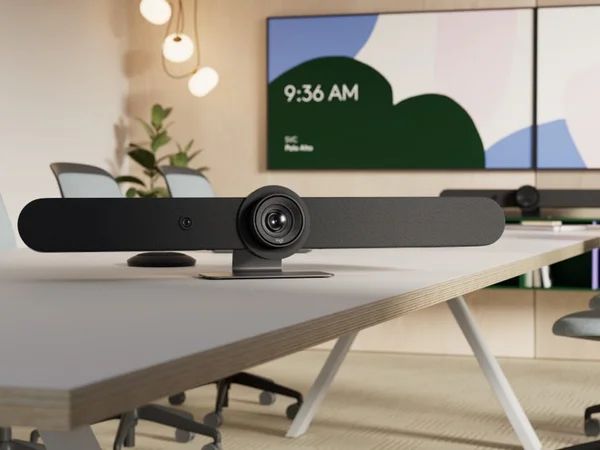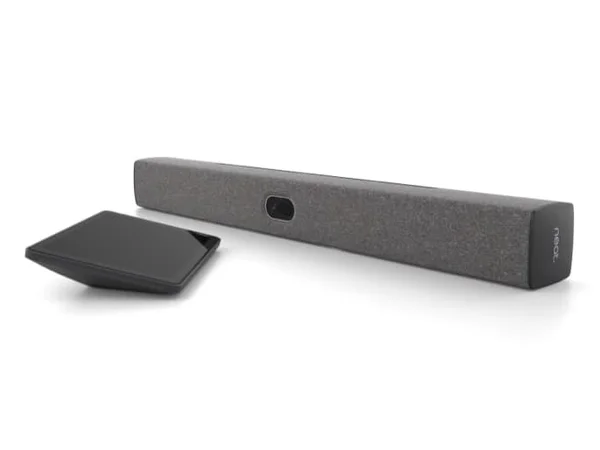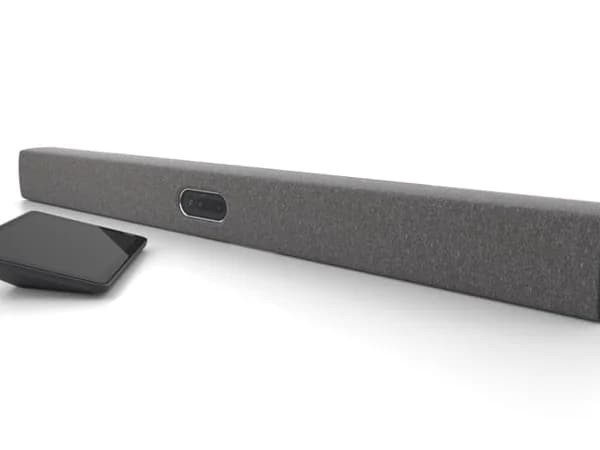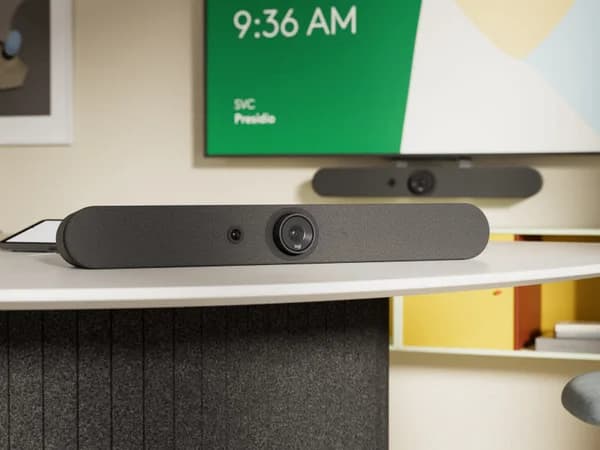

Logitech Rally Bar Mini Review
The Logitech Rally Bar Mini brings all the platform breadth and management capability of the Rally Bar into a compact package. It's the ideal choice for organizations standardizing on Logitech Sync across rooms of different sizes. The 2021 hardware is aging, but firmware updates keep it relevant. The best small-room option for multi-platform IT teams.

Logitech Rally Bar Mini Review
The Logitech Rally Bar Mini brings all the platform breadth and management capability of the Rally Bar into a compact package. It's the ideal choice for organizations standardizing on Logitech Sync across rooms of different sizes. The 2021 hardware is aging, but firmware updates keep it relevant. The best small-room option for multi-platform IT teams.
Logitech Rally Bar Mini Review
The Logitech Rally Bar Mini brings all the platform breadth and management capability of the Rally Bar into a compact package. It's the ideal choice for organizations standardizing on Logitech Sync across rooms of different sizes. The 2021 hardware is aging, but firmware updates keep it relevant. The best small-room option for multi-platform IT teams.

Logitech Rally Bar Mini Pros & Cons
Pros
- Same broad platform support as Rally Bar — native Zoom, Teams, Meet, and USB BYOD
- Logitech Sync fleet management for enterprise-wide deployment
- Compact form factor ideal for small-to-medium rooms and monitor mounting
- RightSight 2 AI auto-framing adapted for smaller room dynamics
Cons
- Room coverage limited to ~8 people — not suitable for large rooms
- 2021 hardware showing its age compared to newer competitors
- Audio pickup range shorter than full-size Rally Bar
Overview
The Logitech Rally Bar Mini is the Rally Bar's smaller sibling, and it inherits everything that makes the full-size model the enterprise default: native Zoom, Teams, and Google Meet support, Logitech Sync fleet management, and the RightSense AI suite. The difference is physical — at 28.3 inches wide (versus the Rally Bar's 35.8 inches) and 8.88 pounds, the Mini fits comfortably below a standard display in rooms where the full-size Rally Bar would overwhelm the space.
The camera system is arguably better suited for small-to-medium rooms than the full-size model. A 4K sensor with 120° diagonal field of view (wider than the Rally Bar's 90°) eliminates the motorized pan/tilt mechanism in favor of digital framing across that wider canvas. The 4x digital zoom won't match the Rally Bar's 15X optical/digital combination at distance, but in rooms where participants sit within 15 feet of the camera, the wider native view provides better group coverage without mechanical movement.
At $3,299, the Rally Bar Mini is the entry point into Logitech's premium conference room ecosystem. For IT teams standardizing on Logitech Sync across rooms of different sizes, the Mini handles small-to-medium spaces with the same management tools and platform support as its larger siblings — making it the obvious choice for organizations that have already chosen the Logitech ecosystem for their larger rooms.
Features Deep-Dive
Wide-Angle RightSight AI
The Rally Bar Mini's 120° diagonal field of view is 30° wider than the full-size Rally Bar, which sounds counterintuitive for a smaller device. The design logic is sound: in small rooms, participants sit closer to the camera and spread wider relative to the device's position. The 113° horizontal coverage captures a full small conference table without needing mechanical pan/tilt. RightSight 2 works within this wider canvas to provide speaker tracking, group framing, and Grid View — the same AI suite as the Rally Bar, adapted for the wider native view. The 4x digital zoom handles speaker close-ups for up to about 23 feet, and the six beamforming microphones match the full-size Rally Bar's 23-foot pickup range. RightLight adjusts per-participant exposure, and RightSound auto-levels voices across the room.
Compact Multi-Mount Design
At 719mm x 91.4mm x 101mm, the Rally Bar Mini fits in spaces where the full-size Rally Bar simply won't work — below wall-mounted displays, on narrow credenzas, or mounted directly above a small room's monitor. The included mounting hardware supports table, wall, and above-display configurations. The 1-inch woofer plus two midrange drivers deliver adequate audio for small-to-medium rooms, though the speaker output is noticeably thinner than the Rally Bar's 70mm drivers. For rooms where the bar is the primary speaker system, this is worth noting — supplemental speakers may be needed if remote participants' voices need to fill a larger space.
Ecosystem Consistency with Sync
The Rally Bar Mini's strongest argument is organizational, not technical. IT teams that deploy Rally Bars in large rooms and Rally Bar Huddles in phone booths can add Rally Bar Minis in small-to-medium rooms and manage everything through Logitech Sync. One management platform, one firmware update process, one support contract. The Rally Mic Pod expansion system works with the Mini too (up to 3 pods), extending audio coverage for rooms that exceed the 23-foot native range. This interoperability across the Rally family is something no competitor — not Neat, not Poly, not Jabra — can match at the ecosystem level.
Pricing Analysis
At $3,299, the Rally Bar Mini sits below the Neat Bar Gen 2 ($3,990) and the full-size Rally Bar ($4,199), positioning it as a premium-but-accessible option for small-to-medium rooms. The most direct comparison is with the Neat Bar Gen 2: the Mini offers broader platform support (native Meet in addition to Zoom/Teams), expandable audio via Mic Pods, and the Logitech Sync ecosystem. The Gen 2 counters with Neat Symmetry's superior individual framing, a slimmer design, and environmental sensors. Neither includes a touch controller in the base price — the Logitech Tap adds $1,200-1,500, while the Neat Pad is approximately $700. For organizations not yet committed to an ecosystem, the decision comes down to priorities: multi-platform flexibility (Mini) versus AI framing quality (Gen 2).
Who Is This For?
Logitech Rally Bar Mini works best for:
- IT teams standardizing on Logitech Sync that need a small-to-medium room device matching their larger Rally Bar deployments — same management, same AI suite, same platform support, different room size
- Multi-platform organizations running a mix of Zoom, Teams, and Google Meet that need native support for all three on a single small-room device — no other compact bar offers this breadth
- Small-to-medium rooms (4-10 people) where the 120° wide-angle camera provides better edge-to-edge coverage than narrower competitors, and the 23-foot microphone range covers the space without expansion accessories
Who Should NOT Use This
Logitech Rally Bar Mini might not be the right choice if:
- AI framing quality is your top priority — the Rally Bar Mini's RightSight 2 is capable but doesn't match Neat Symmetry's depth-aware individual framing. For rooms where meeting equity matters most, the Neat Bar Gen 2's approach to equally sizing every participant is measurably superior.
- The room is larger than 10 people or 20+ feet deep — the 4x digital zoom shows its limits at distance, and while Mic Pods extend audio, the camera can't match the Rally Bar's 15X zoom or the Poly X52's dual-camera system for larger spaces. Step up to the full Rally Bar or a competing premium option.
Bottom Line
The Logitech Rally Bar Mini delivers the Logitech ecosystem experience in a compact form factor. It's not the most technologically advanced small-room camera — the Neat Bar Gen 2's framing is more sophisticated, and the Meeting Owl's 360° view is more creative. But no competitor matches the Mini's combination of platform breadth, fleet management depth, and ecosystem interoperability. For organizations already invested in Logitech Sync, or those that need native Zoom, Teams, and Meet support on a single device, the Rally Bar Mini is the straightforward choice.
FAQ
What's the difference between Rally Bar Mini and Rally Bar Huddle?
The Rally Bar Mini is larger and more capable: wider field of view (120° vs 120° diagonal, but with better processing and larger drivers), better speaker output (woofer plus midrange drivers vs single 2.2" driver), and support for more Mic Pods. The Huddle ($1,899) is for the smallest spaces — phone booths and 2-6 person rooms — while the Mini handles 4-10 person rooms comfortably.
Can the Rally Bar Mini work in USB BYOD mode?
Yes. Like all Rally Bar models, the Mini can connect directly to a laptop via USB-C for BYOD mode, working with any video conferencing platform. It also runs Zoom, Teams, and Meet natively in appliance mode. This dual-mode flexibility means it works both for dedicated rooms with platform-specific setups and for shared spaces where different teams bring their own laptops.
How does the 120° camera compare to the Rally Bar's 90°?
The Mini's wider 120° native view captures more of the room without mechanical pan/tilt, making it better suited for small rooms where participants spread across the table. The full-size Rally Bar compensates with motorized pan/tilt (±25°/±15°) and 15X zoom, giving it more reach at distance. In rooms under 15 feet deep, the Mini's approach often produces better group framing than the Rally Bar's narrower initial view.
Does it support Rally Mic Pods?
Yes, the Rally Bar Mini supports up to 3 Rally Mic Pods via the proprietary expansion port, extending audio coverage for rooms that exceed the built-in 23-foot range. This is fewer than the full-size Rally Bar's 4-pod capacity but still provides meaningful expansion for medium-sized spaces.
Who Is Logitech Rally Bar Mini Best For?
Small-to-medium rooms (4-8 people) in multi-platform environments that need the same management tools as Rally Bar
The Bottom Line
The Logitech Rally Bar Mini brings all the platform breadth and management capability of the Rally Bar into a compact package. It's the ideal choice for organizations standardizing on Logitech Sync across rooms of different sizes. The 2021 hardware is aging, but firmware updates keep it relevant. The best small-room option for multi-platform IT teams.
Buy on AmazonKey Specs
Scoring Breakdown
Camera resolution, AI-powered auto-framing, speaker tracking accuracy, and field of view coverage
Microphone array quality, pickup range, noise cancellation, echo suppression, and built-in speaker clarity
Maximum room size support, participant capacity, zoom capabilities, and ability to capture all meeting participants
Native support for Zoom Rooms, Microsoft Teams Rooms, Google Meet, Webex, and BYOD/USB connectivity
Installation simplicity, IT remote management tools, firmware update process, and enterprise deployment features
Physical construction quality, aesthetics, mounting flexibility, form factor, and thermal management
Price-to-feature ratio, included accessories, warranty coverage, and total cost of ownership